Changelog

Follow new updates and improvements to Mesh Nordic AI.

Major release! Track your sales in great detail, get perfect clarity images and search for Pages & Blog posts
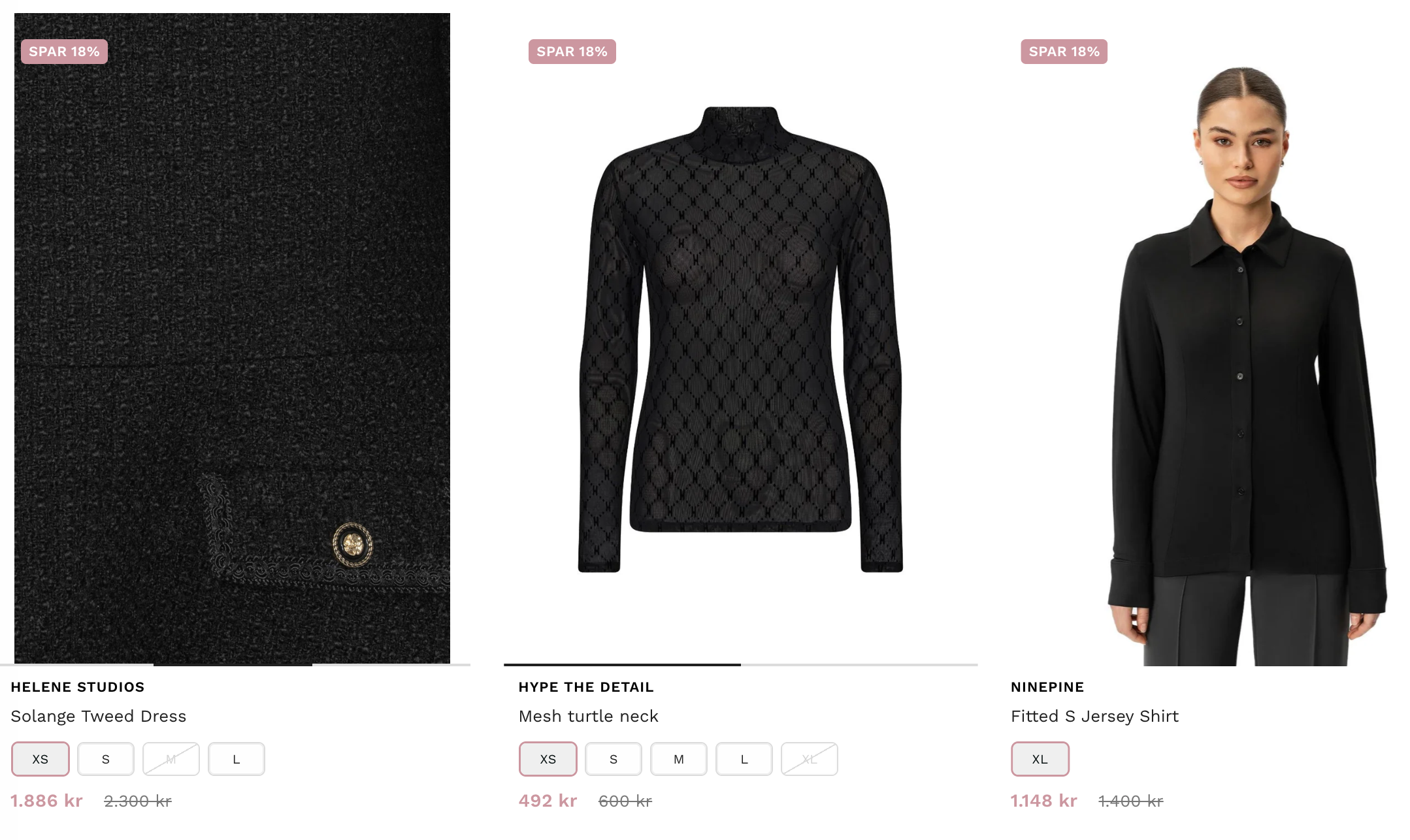
Great images sell a product! M:AI has always displayed ALL images for each product and all variant images, but now it also displays them with perfect clarity.

2026-09-24

Depending on your screen resolution, the image resolution changes to the best suitable one - automatically in M:AI. Giving all your images a perfect clarity in both the Search and Recommendations.

Images are from https://infinityshop.no/


Boom! Track your sales in great detail!

Have you always dreamed of being able to have a LIVE conversion funnel?! We too! Now you’re able to see every single dollar (or krona) you sell for in real-time. LIVE!

This Danish customer has sold for 1.3 mDKK online the last month, we’ve assisted in 42.4% of the orders, but what’s more interesting is that M:AI has contributed 12% in direct sales.

That’s sales that the customer didn’t have before.

Our average customer increases their sales by 15% using our Premium plan, compared to the same period last year! See https://meshnordic.ai/pricing for more details.


Search for all Pages & Blog posts

Before M:AI searched your store for products, collections, metafields, variants etc. - but now we’ve upgraded to use the same AI intelligence for Blog posts and Pages.

Check out https://golfsenteret.no/, our first customer to use this new feature!


Does your current search solution make sure you always get a PREMIUM service?
If not, talk to us:

Schedule a demo to see M:AI platform:
https://meshnordic.ai/book-demo
New

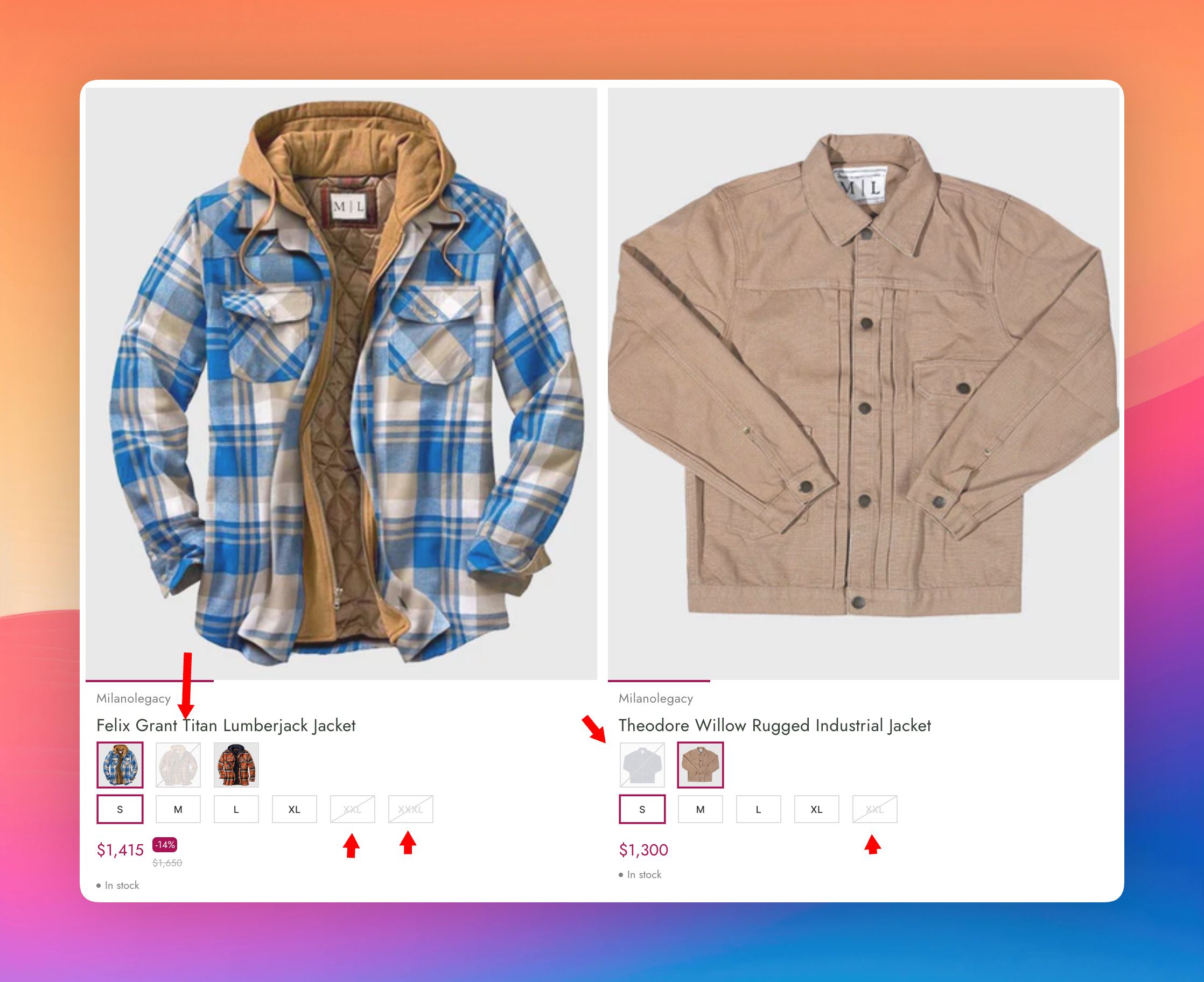
Showing variants that are in stock - first

Signal to your customers that you have lots of products in stock!
By displaying the product variants that are in stock as the first selected variants and not the first variants (unless they are in stock).

2026-06-23

How we feel about a store drives the conversion rate (CRO) up or down, depending on if those feelings are positive or negative. With a tailor-made mobile-first design and features like always displaying variants that are in stock, you create the right, positive feelings for your visitors!

Different etailers have different looks. Here some of the colors are strike-through since they're out of stock, and round buttons are used for sizes.


Up to 5 intelligent suggestions

We’ve updated the 5 AI-suggested words to make it even more intelligent. Now it understands what intermediate words are and skips words like “for” or “one” and instead suggests the following word after that.

The suggestions are always based on actual words that you’ve added to your products.


Analytics: Top searches with zero hits

The analytics in M:AI Search have been upgraded with a lot more interesting data based on how your visitors search, as well as “Top searches with zero hits”.

The searches that lead to zero hits are neatly ordered and if you hit the +-icon, you are automatically sent to the synonyms to easily redirect that search to a more suitable search.


Add searches that lead to zero hits to a suitable synonym search:


Analytics: Returning visitors

  • How many returning visitors do you have?

  • How many visitors are using your built-in search?

  • Do they make a lot searches on your site?

You’re even able to see if your visitors are using their mobile or desktop, and their operating systems.

All statistics are privacy-first and GDPR-compliant.


Does your current search solution make sure you always get a PREMIUM service?
If not, talk to us:

Schedule a demo to see M:AI platform:
https://meshnordic.ai/book-demo

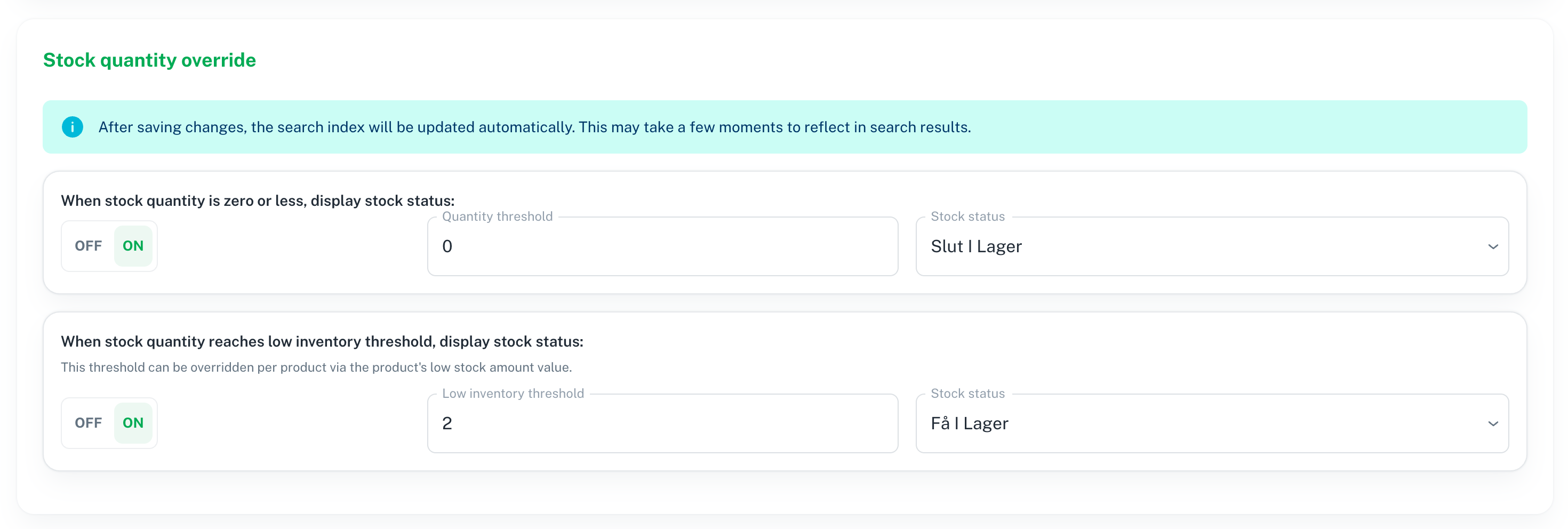
Stock quantity override: When zero in stock, and when low inventory threshold is reached

Do you wish you could affect the static stock status settings in Shopify and WooCommerce? Now you can, in both M:AI product search and M:AI product recommendations!

2026-04-14

NEW!

  • When stock quantity is zero or less, display another stock status i.e “Out-of-stock” even if stock status have not actually changed in your store.

  • When stock quantity reaches low inventory threshold i.e “2”, display another stock status i.e “Only few in stock” even if stock status have not actually changed.

Customer example - RCKONGEN.DK

With these settings:

The result in Storefront becomes this:


NEW!

Excluded collections

Now it’s easy to both manually, and automatically exclude non-wanted collections (Shopify) and categories (WooCommerce).

  • Manually exclude collections by selecting them here

  • Automatically exclude collections by setting unwanted collections in Shopify / WooCommerce that should not be displayed in the storefront, but you might want to keep anyway

Excluded by integration (automatically)

Go to M:AI admin > Collections to easily see which collections are excluded.

Excluded manually


Does your current search solution make sure you always get a PREMIUM service?
If not, talk to us:

Schedule a demo to see M:AI platform:
https://meshnordic.ai/book-demo

Earlier updates